¶ Admin Page
Central management hub for creating and archiving portfolios and projects, editing their details and contact assignments, and creating contacts within OPUS. Access level determines available actions. See permissions page for more details.
¶ Portfolios
Purpose: Manage portfolios across the organization.
Columns:
- Name, Description, Owner(s), Status, Actions
Actions by Role:
- Admin: Add, edit, delete all portfolios
- Portfolio Owner: Edit their own portfolios only
- Others: View only
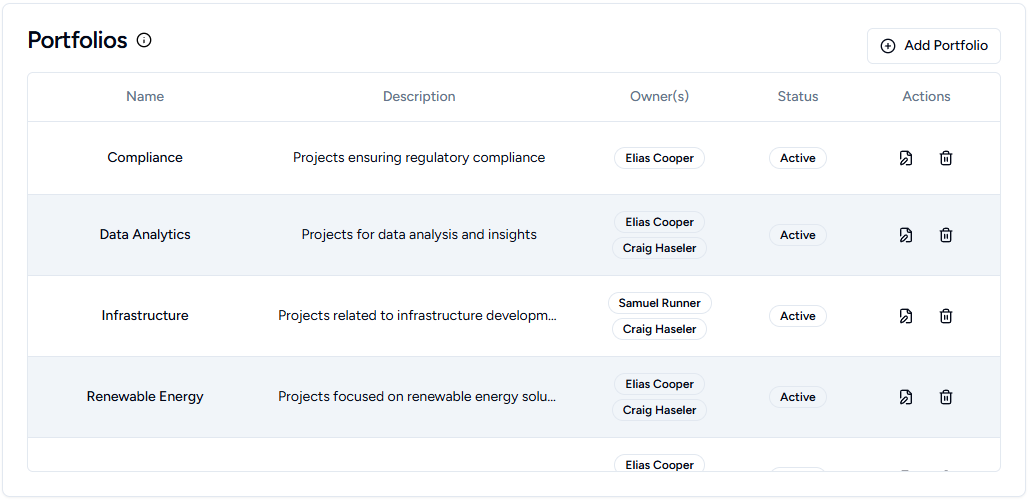
Add Portfolio Button: (Admins only) Creates new portfolios via the Portfolio Window.
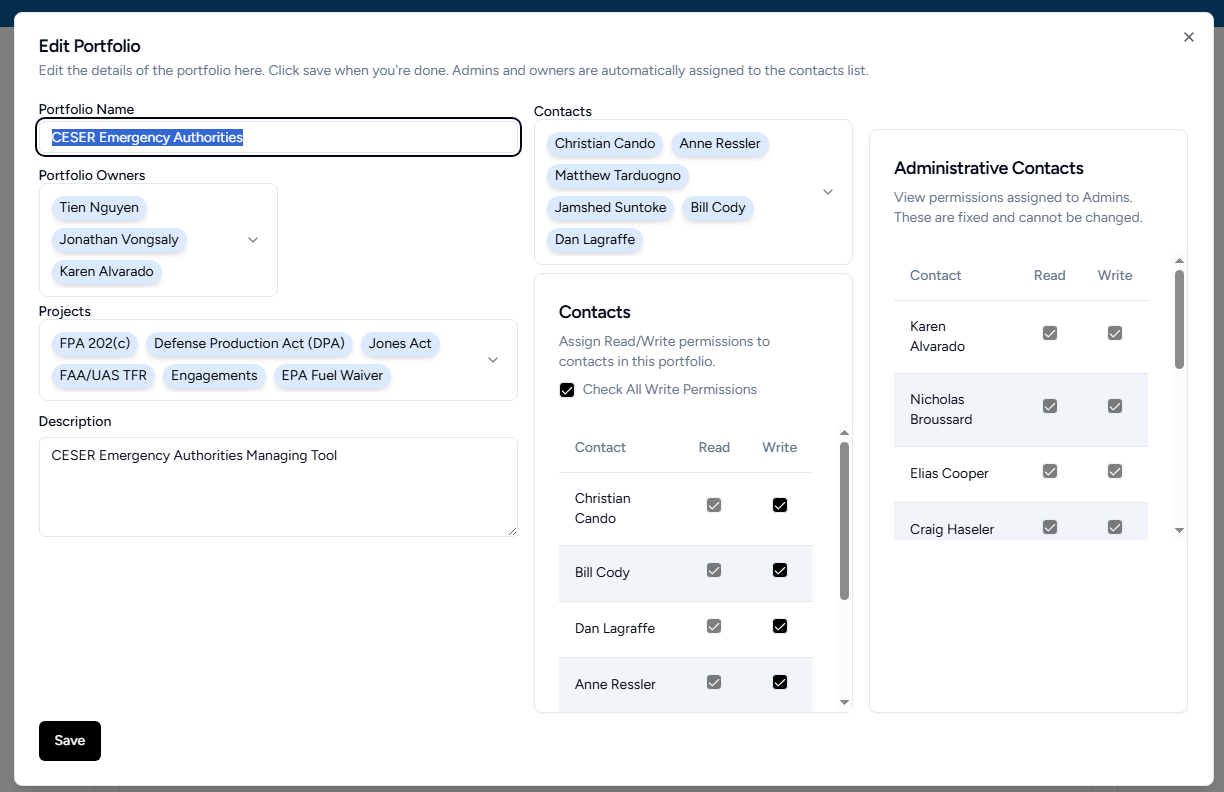
Portfolio Window
Add or Edit pre-existing Portfolios. Editable features include: Name, Owners, Projects, Contacts, and Description. Admins will automatically have access, while Portfolio Owners will be able to create, add, and edit Projects. Contacts added to the Portfolio will automatically have read access to all the Portfolio's Projects and their tasks, and can be granted write access to make edits.
¶ Projects
Purpose: Manage projects across all portfolios.
Columns:
- Name, Portfolio, Description, Owner(s), Status, Start Date, Due Date, Actions
Actions by Role:
- Admin: Add, edit, delete, archive all projects
- Portfolio Owner: Add, edit, delete, archive projects in their portfolios
- Project Owner: Edit their own projects only
- Others: View only
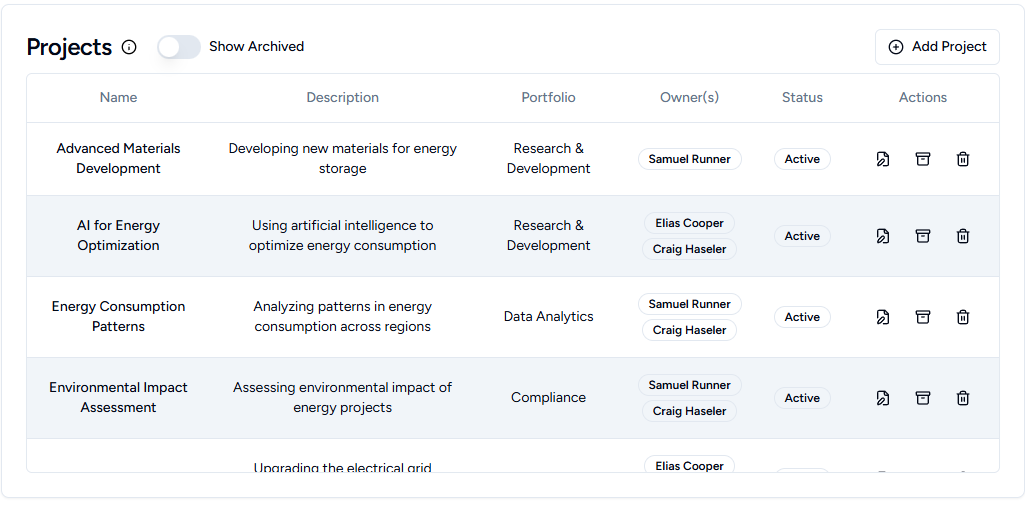
Add Project Button: (Admins and Portfolio Owners) Creates new projects via the Project Window.
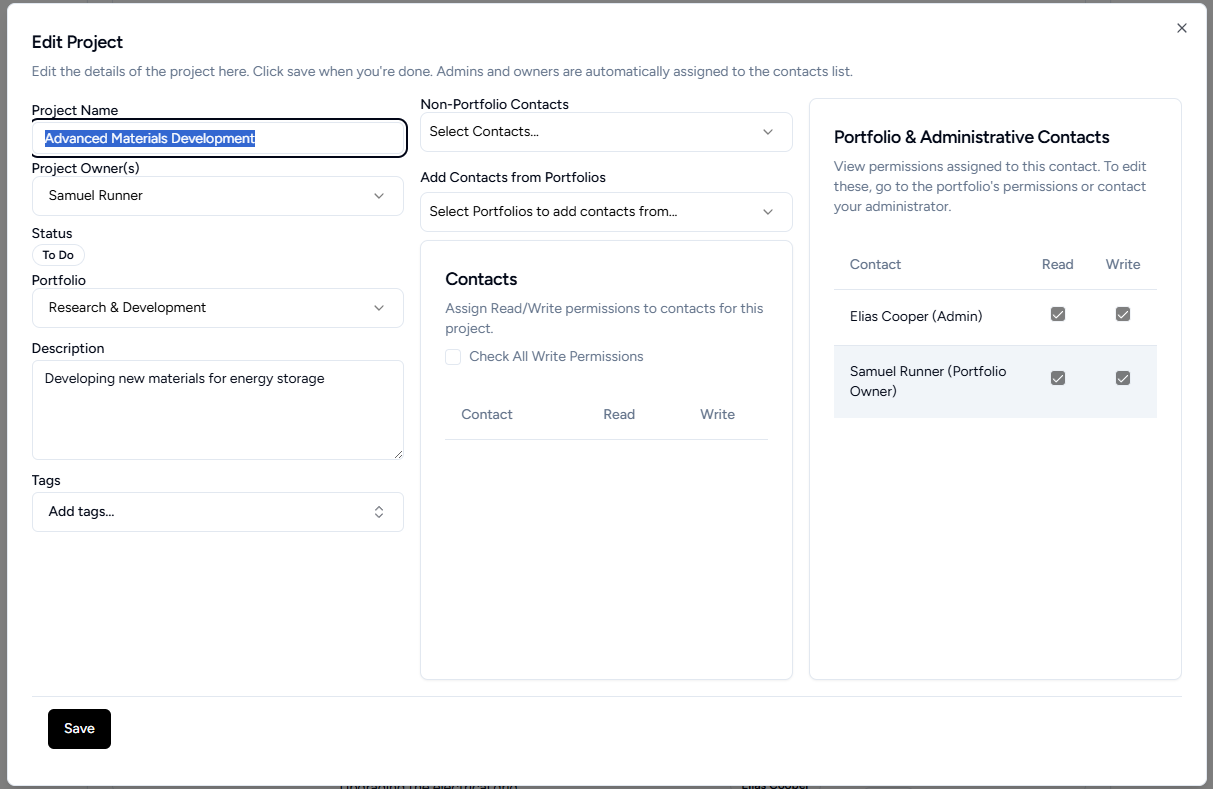
Project Window
Add or Edit pre-existing Projects. Editable features include Name, Owners, Portfolio, Contacts, and Description. Owners will be able to edit Project details, assign RACI contacts, and create and edit Tasks. Contacts add to the Project will automatically have read access to all the Project's Tasks, and can be granted write access to make edits.
¶ Contacts Table
Manage user accounts and permissions.
Columns:
- Name, Email, Role, Projects Assigned, Actions
Actions:
- Admin: Add, edit, delete contacts; manage permissions
- Others: View only (read-only mode)
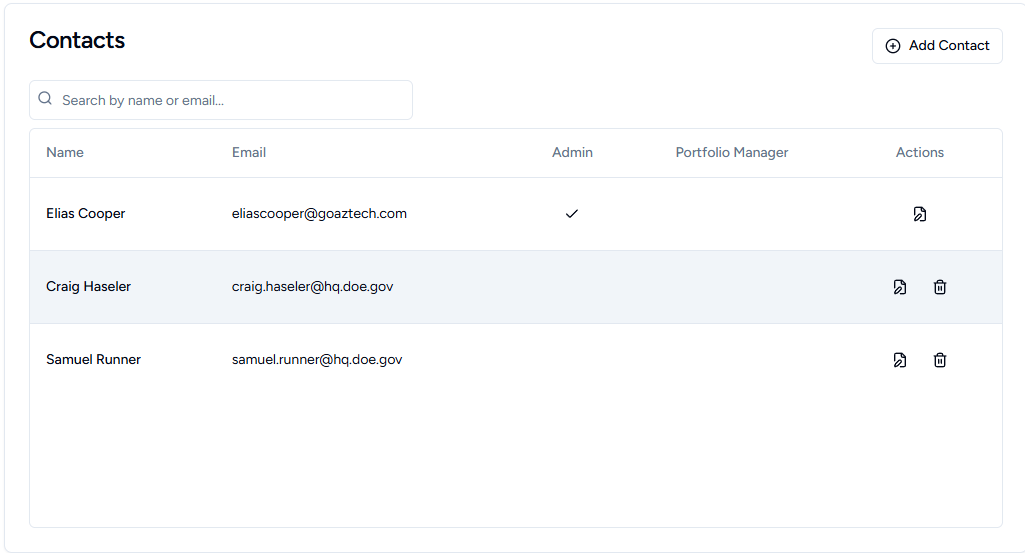
Add Contact Button: (Admins only) Creates new user accounts via the Contact Window.
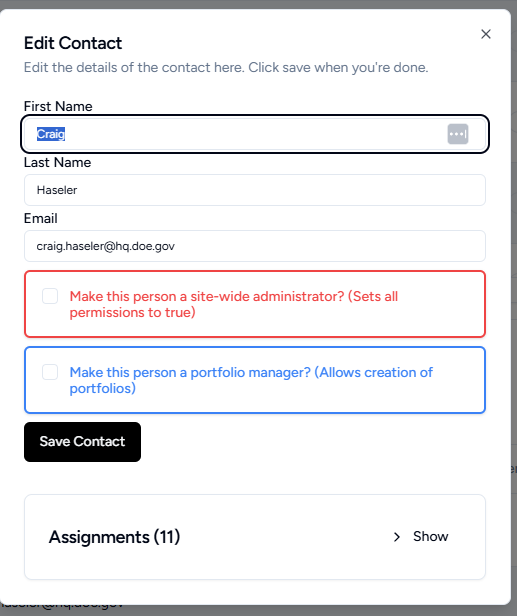
Contact Window
Add or Edit contacts. Email must be provided and unique. Assign user as Admin for complete access, or make them a Portfolio Manager, allowing them to create Portfolios without granting complete access, sitewide.
Key Features:
- All tables scrollable with fixed headers
- Click any row to view/edit details in a window
- Changes show success messages
- Sorted alphabetically by default
- Permission-based button visibility
- Real-time updates after changes