¶ My Calendar Page
Purpose: A personal calendar showing all tasks across all projects where you're involved. This is your central hub for viewing everything assigned to you in one place.
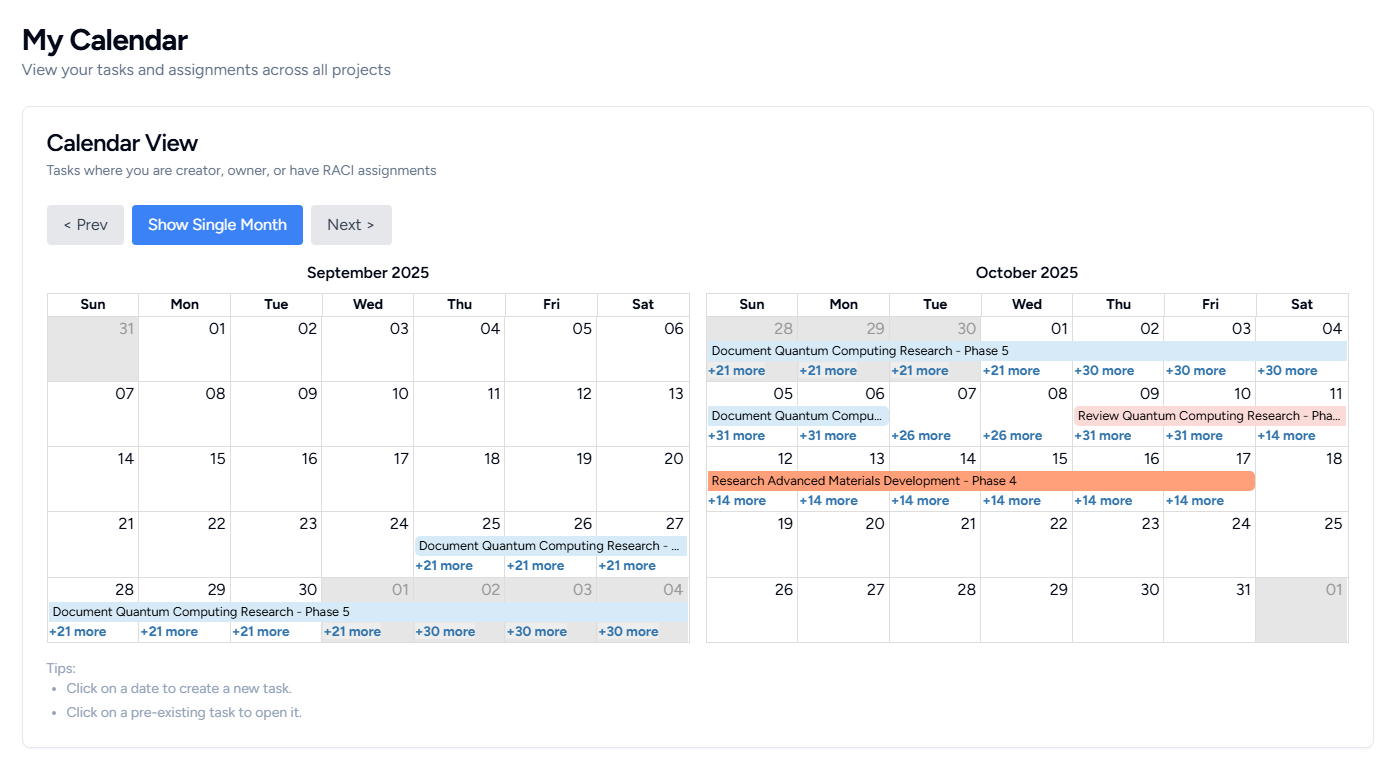
Calendar View
Purpose: Visual timeline of all your tasks with dates.
- Two-Month Display: Shows current and next month side by side
- Toggle: Switch between two-month and single-month view
- Task Display: Shows tasks where you are Creator, Owner, and/or have a RACI assignment
- Click to Open: Click any task on the calendar to open it in a new tab
- Only tasks with start & due dates appear on the calendar
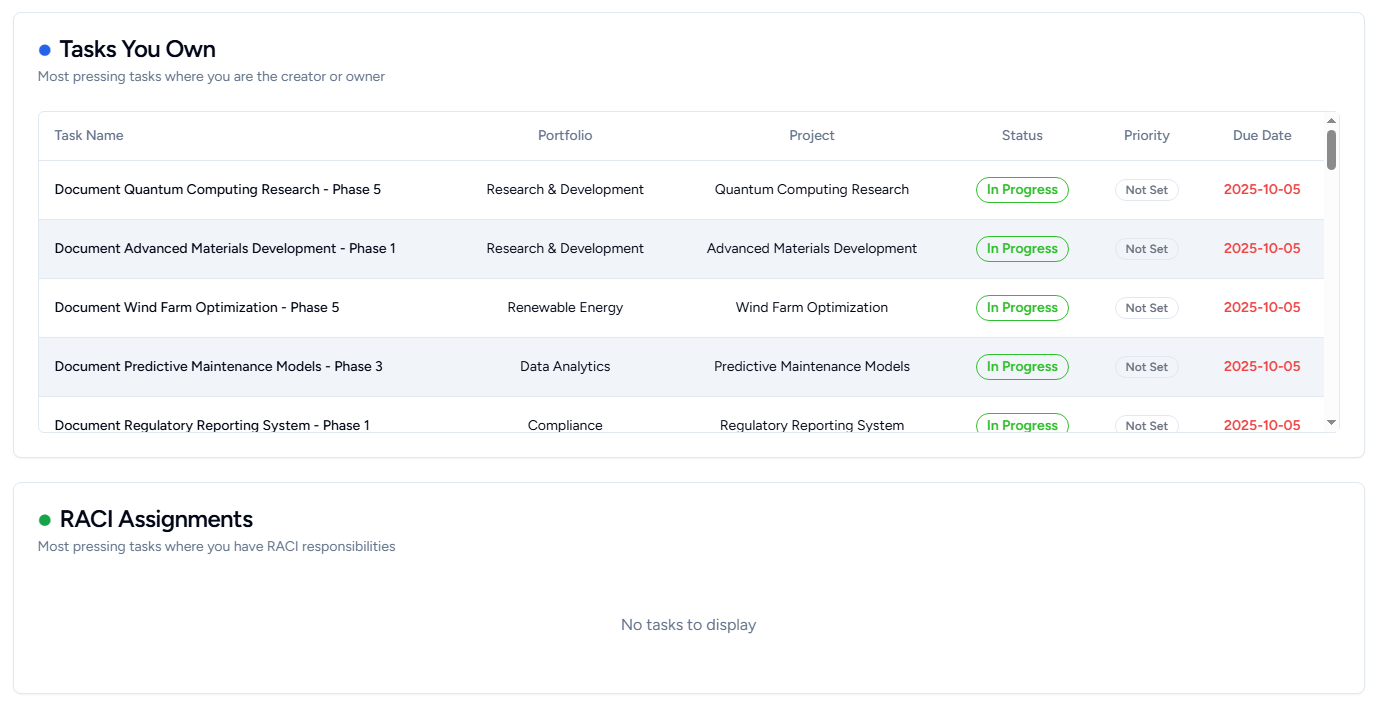
Tasks You Own
Purpose: Shows tasks where you are the creator or owner, prioritized by urgency.
Columns:
- Task Name: Name of the task
- Portfolio: Which portfolio the task belongs to
- Project: Which project contains the task
- Status: Current status with color indicator
- Priority: Importance level with color coding
- Due Date: When the task is due
- Overdue dates shown in red
- "Not set" if no due date
Click any row to open that task in a new tab.
RACI Assignments
Purpose: Track tasks where others need your input or action.
Same table format as "Tasks You Own" with:
- Task Name, Portfolio, Project, Status, Priority, and Due Date
- Color-coded status and priority badges
- Overdue tasks highlighted in red
- Click any row to open the task in a new tab
Key Features:
- All tables scroll if there are many tasks
- Tasks open in new browser tabs so you don't lose your calendar view
- Real-time view of your workload across the entire organization