¶ Portfolio Page
A comprehensive dashboard for managing and monitoring all projects within a portfolio. The page includes three collapsible accordion sections with portfolio-level insights and management tools.
Breadcrumbs
Navigation trail showing Home > Portfolio Name with clickable links to navigate back to the portfolio. The breadcrumb will also display the Project name when on the Project page.
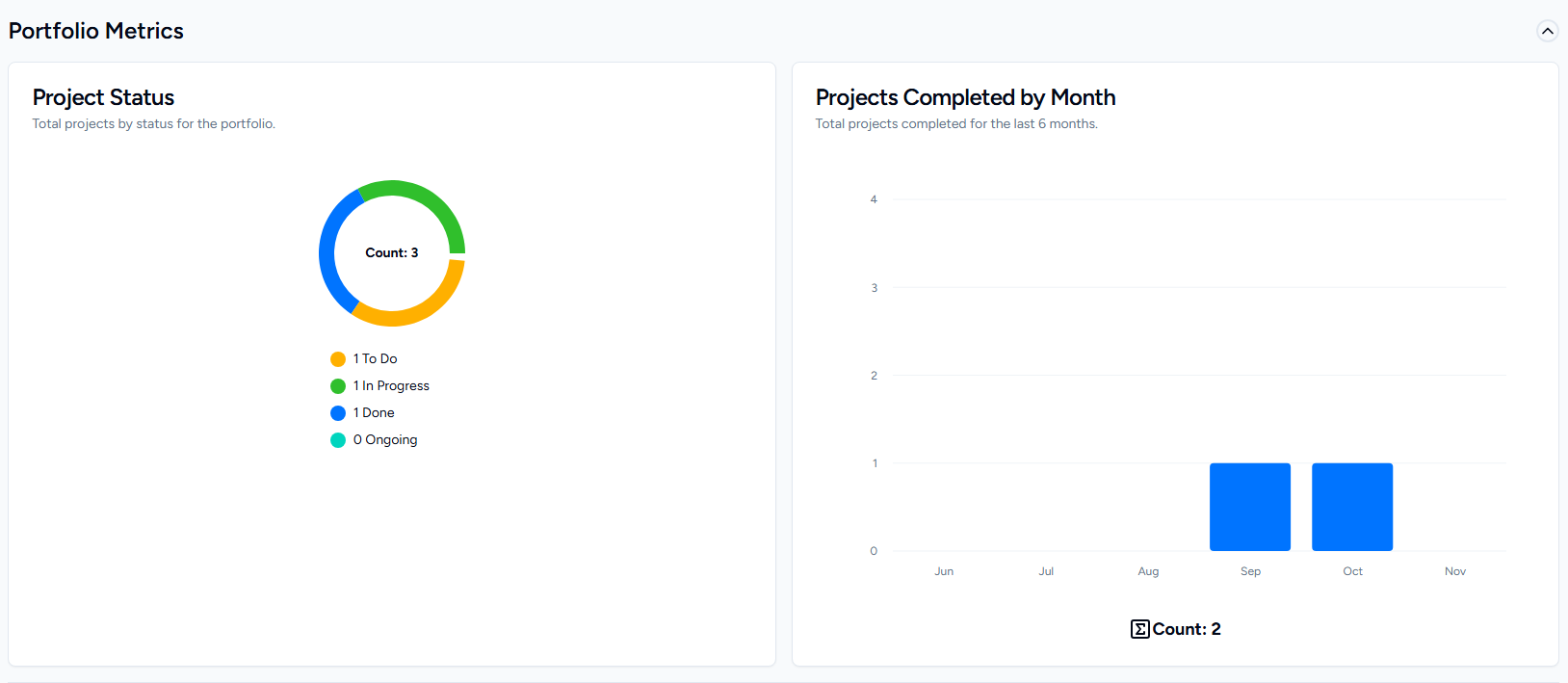
Portfolio Metrics
Purpose: High-level analytics and status visualization for all projects in the portfolio.
- Project Status Pie Chart: Visual breakdown of projects by status (To Do, In Progress, Done, and Ongoing)
- Completion Trends: Bar chart showing total projects completed over the last 6 months (Completed Projects have a status of 'Done' or a 'Completion Date'.
Portfolio Calendar
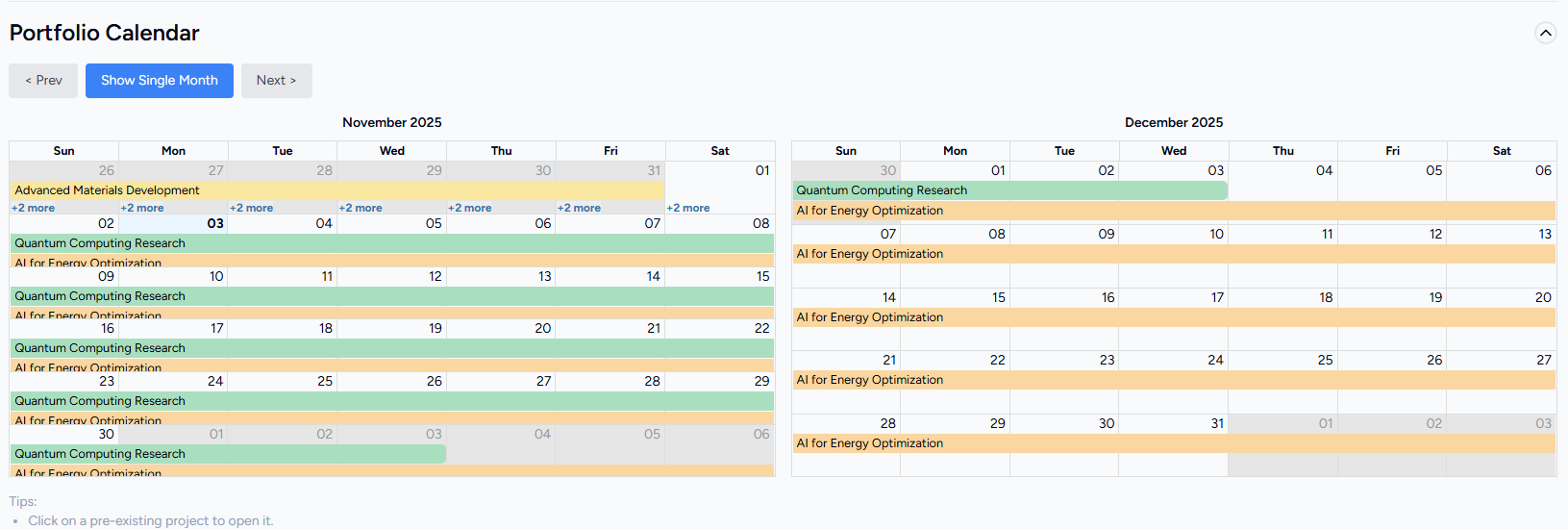
Purpose: Timeline visualization of all project start and due dates.
- Two-Month View: Displays current and next month simultaneously. Can be toggled to single-month view
- Click Navigation: Selecting a project navigates to that project's detail page
- Projects must have both a Start and Due date to appear
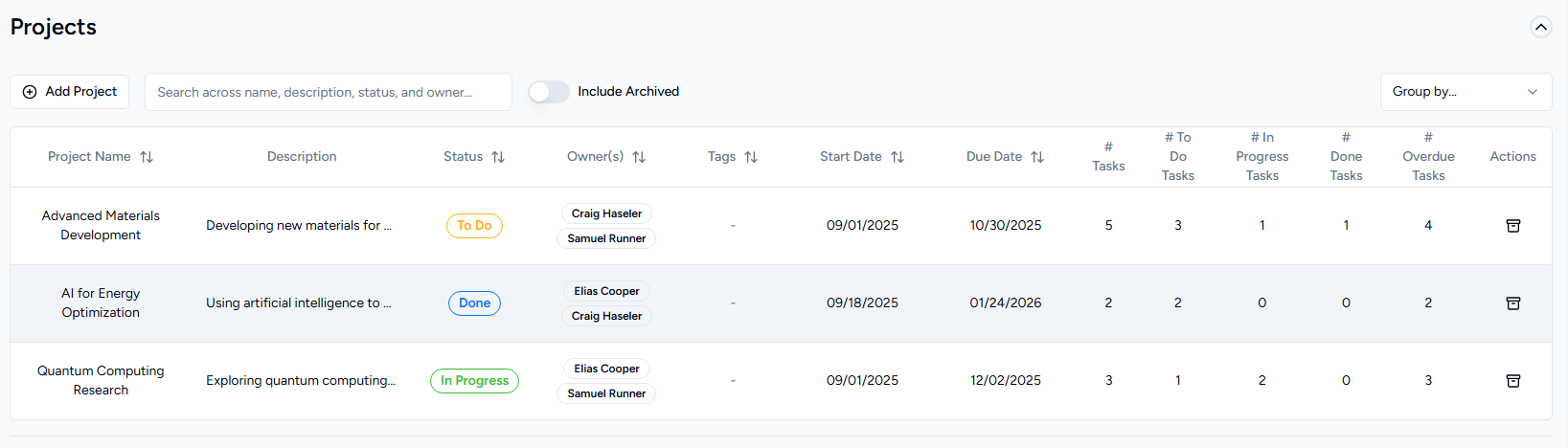
Projects Table
Purpose: Detailed project list with statistics, filtering, grouping, and archiving functionality for Admins & Portfolio Owners.
- Project List: Sortable/filterable/groupable table of all active projects
- Quick Navigation: Click any project row to navigate to its detail page
- Project Details: Shows name, description, dates, status, owners, and RACI assignments
For Admins & Portfolio owners:
- Archive Toggle: View/include archived projects
- Create Button: Create new projects
- Archive/Unarchive: Archive/Unarchive projects